Assignments
Tutors and courses may give you assignments. This page shows where to find them and how to submit your work.
Overview
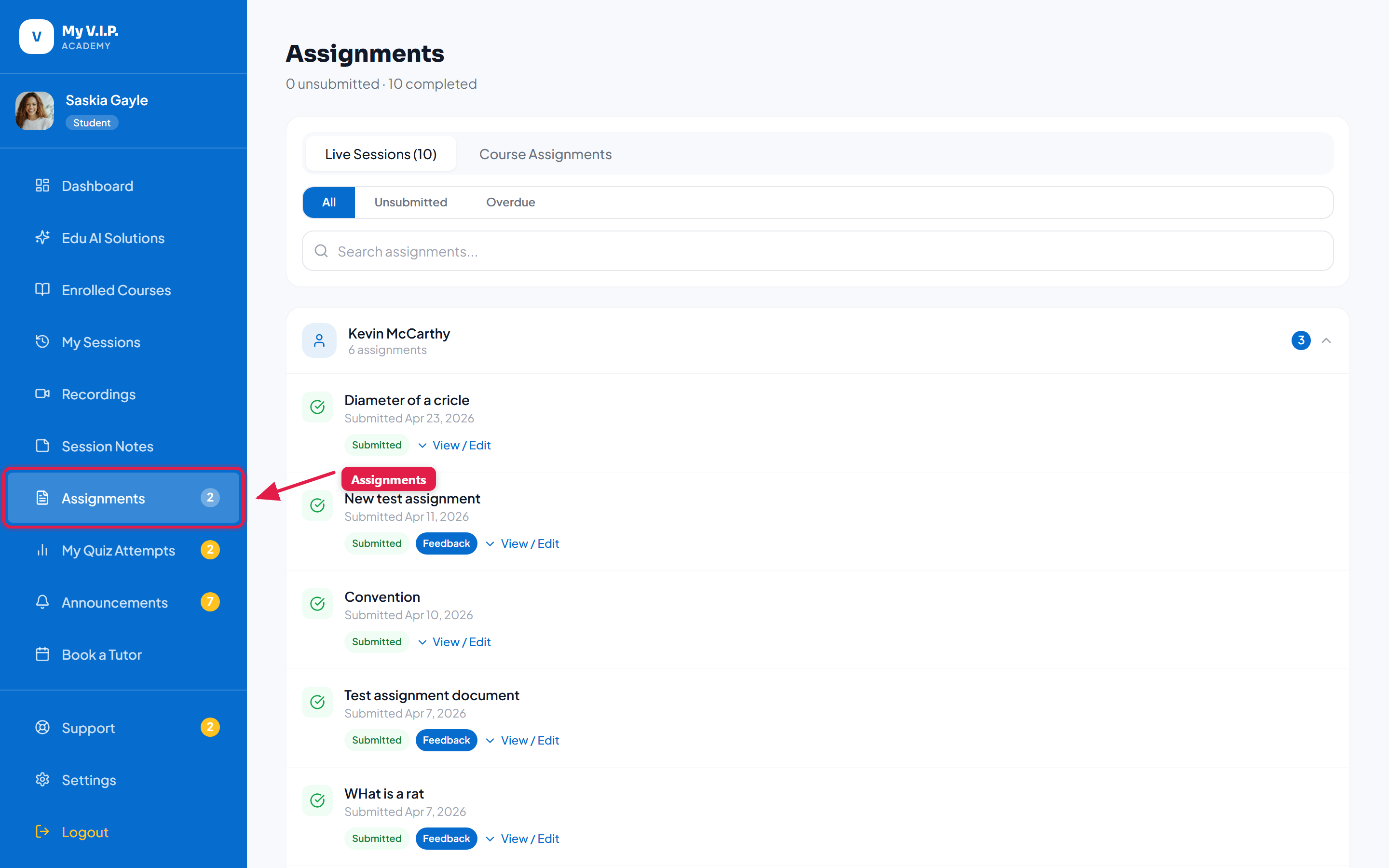 Find, complete, and submit your assignments.
Step-by-step Guide
Step 1: Open Assignments
Click Assignments in the sidebar to see everything due, in progress, and graded.
Step 2: Submit your work
Open an assignment, add your answer or upload a file, and submit.
Step 3: See your grade
Once your tutor reviews it, your grade and feedback appear here.