Platform Navigation
Once you log in, everything lives inside your dashboard. This page shows you the main areas so you can find your way around quickly. Your dashboard changes a little depending on whether you are a student or an instructor.
Overview
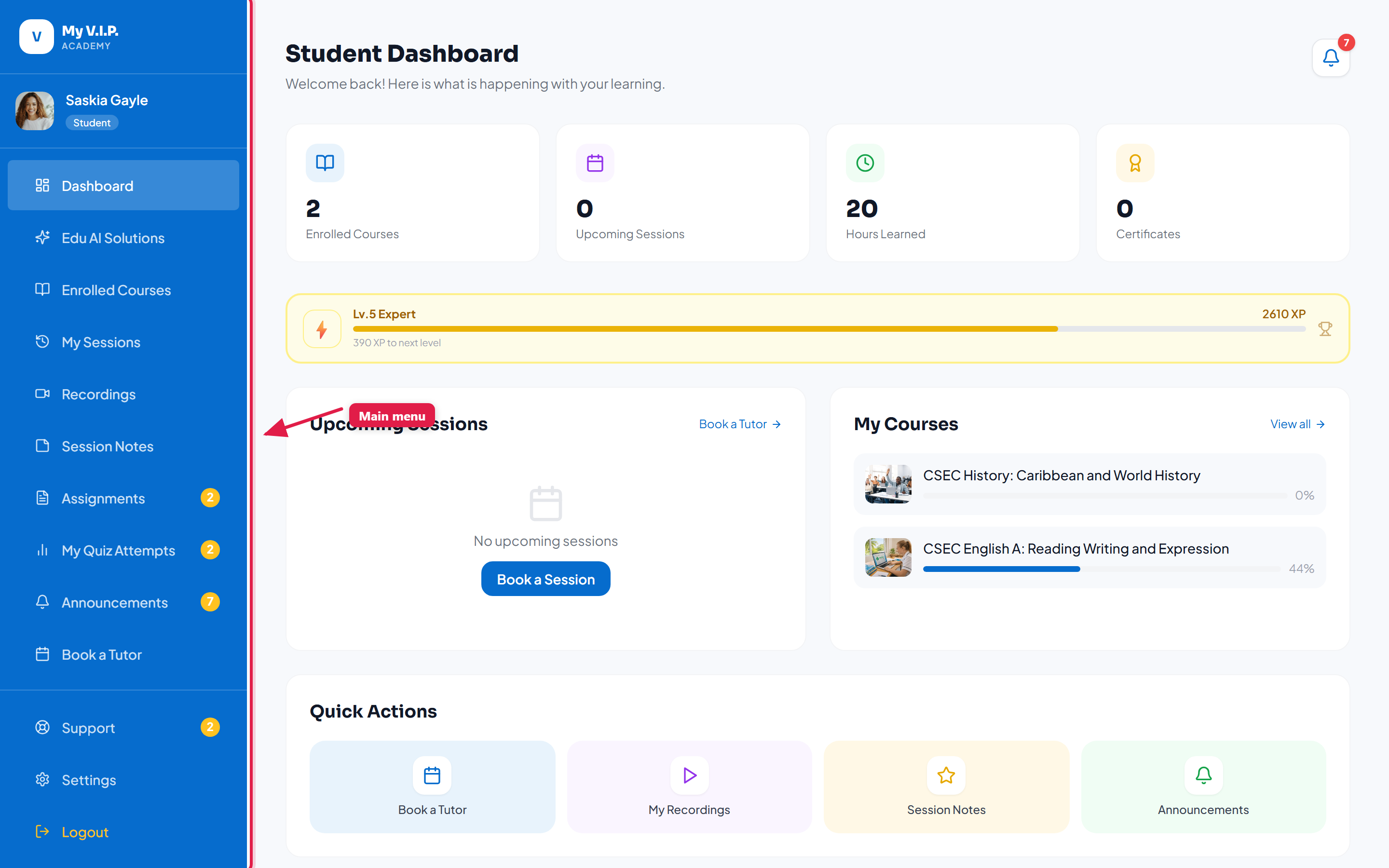 The sidebar is your main menu. It stays on the left on every page.
The sidebar
The sidebar on the left is your main menu. It lists every area you can visit — your courses, sessions, wallet, settings, and more. On a phone, tap the menu icon in the top bar to open it.
The top bar
The top bar across the top shows your notifications (the bell icon) and your profile menu. Click your photo to reach your profile and to log out.
Colours tell you where you are
- Blue sidebar — you are in the student dashboard.
- Navy sidebar — you are in the standard instructor dashboard.
- Purple sidebar — you are in the elementary/primary instructor dashboard.
If you have both a student and an instructor account, use your profile menu to switch between the two dashboards.